For PDR, wheel, bumper, interior, paint and every auto recon tech
Photo Markup App for Auto Recon Mark the damage. Get the approval.
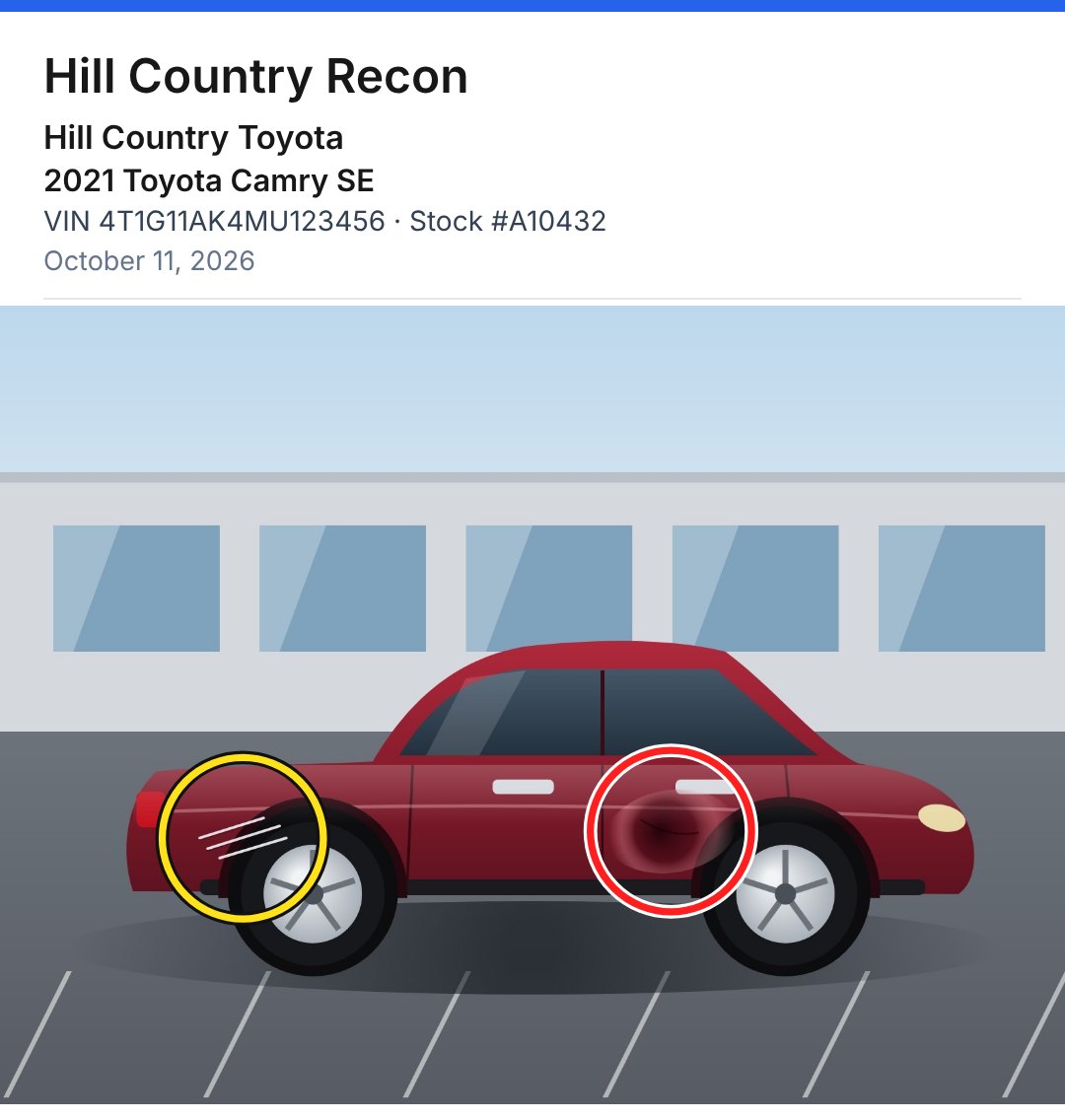
Take the photo, circle the damage, hit Share. The dealership sees exactly which panel you mean, with the stock number and VIN printed on the picture, so approvals come back faster and nothing gets disputed.
$17 per tech · No account · iPhone and Android
One-time purchase. No subscription. Plus applicable tax. US only. By buying you agree to the Terms, Privacy Policy and Refund Policy.
Watch it: photo to dealer in seconds.
Stop texting “the dent by the door handle.”
Nobody at the dealership has time to guess which scratch you mean. Show them, with the stock number on it.
Text it and explain about 12 steps
- Take photos of the car
- Open Photos, tap Edit, find Markup
- Circle the damage (then circle it again)
- Tap Done, tap Done again
- Look up the VIN and type the year, make and model
- Type the stock number and what you found
- Attach it all and send
Mark the Damage: Auto Recon 3 steps
- Take photo
- Circle the damage
- Share
How it works
Snap it
Take the photos right in the app or pick them from your camera roll. Up to 10 per vehicle. The dealer texted you a picture? Paste it in.
Mark it
Tap to drop a circle. Drag for an arrow. X what’s damaged. Bright red or yellow that shows up on any screen.
Send it
Add the dealership, VIN and stock number, or tap Decode to fill in the year, make and model. Share to Messages, Quo, Messenger or email, or copy it into the thread you’re already in.
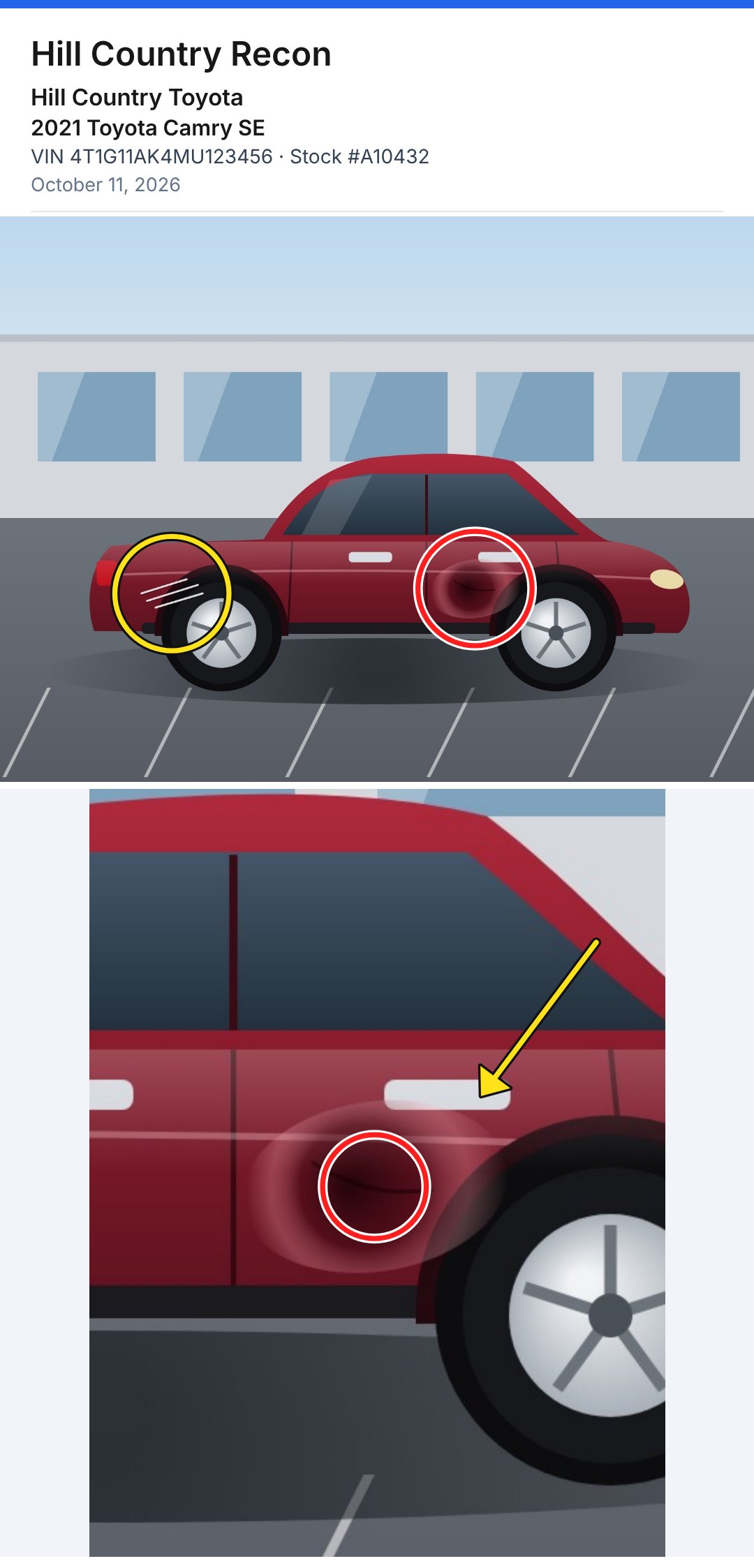
The whole vehicle, labeled.
Vehicle photos
Up to 10 photos stacked into one picture, with your business name, the dealership or customer, year, make and model, VIN, stock number and the date on top. One picture, nothing to scroll.
VIN decoder
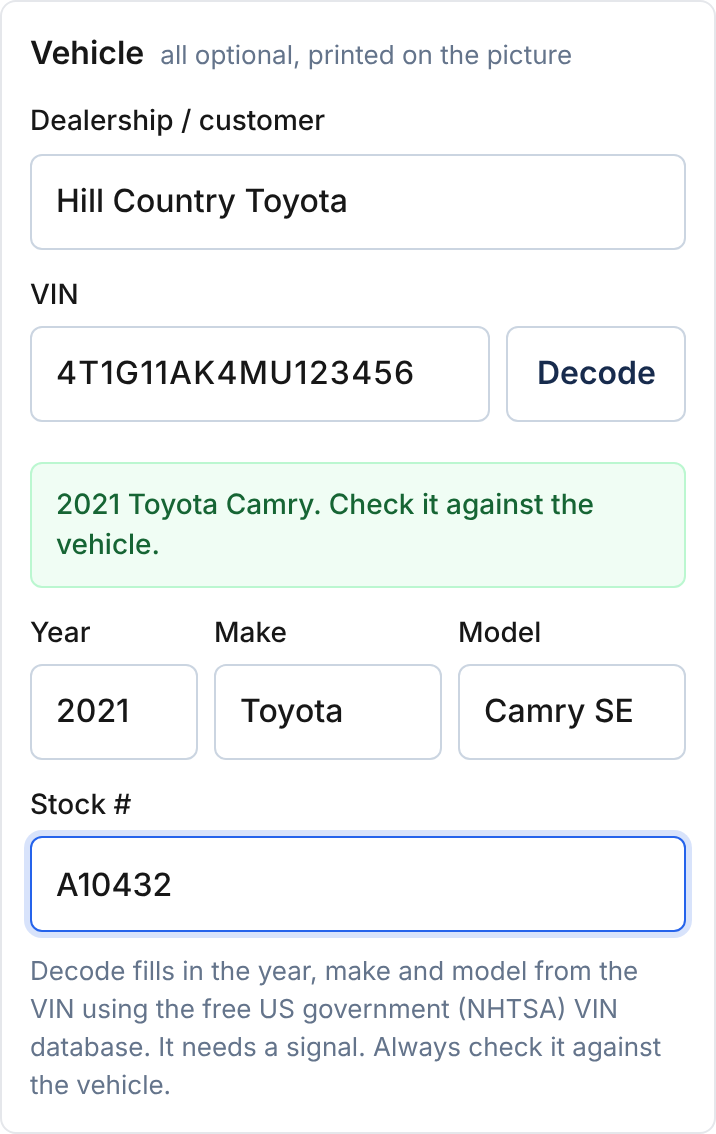
Type or paste the VIN and the year, make and model fill in from the free US government (NHTSA) VIN database. Every field is optional, and you can type over anything it fills in. Always check it against the car.
Need one quick photo? The Quick photo tab is one photo and a note, with no labels.
Built for the truck, not the office.
Big, clear buttons
High contrast for bright sun on the lot. Everything you need sits where your thumb is.
Works with no signal
After the first open, mark the car in the back of the lot and send it when you’re back in range. Only the VIN decoder needs a signal.
Photos stay on your phone
No account, no cloud, nothing to log into. Photos go where you send them and nowhere else.
Dealership, VIN and stock
Every vehicle picture carries the dealership or customer, year, make, model, VIN and stock number, so there’s no mix-up about which car.
Your name on the job
Pictures carry your business name, so the dealer knows who sent them.
iPhone and Android
No app store. Open it in your browser, add it to your home screen, and it opens like any other app.
- PDR
- Bumper repair
- Wheel repair
- Windshield
- Interior and upholstery
- Paint touch-up
- Detailing
- Mobile recon
- Body shops
- Dealer service
- Reconditioning managers
$17 per tech. Once. That’s it.
No monthly fee, no contract. If it saves one tech five minutes this week, it already paid for itself.
Available in the United States only.
Want to try it first? Open the free demo. Everything works; pictures are marked “demo” until you buy.
Mark the Damage: Auto Recon
$17 per tech, one time
- Vehicle photos with dealership, VIN and stock on every picture
- VIN decoder for year, make and model
- Quick photo mode for one-offs
- Circle, arrow and X in red or yellow
- Share or copy in one tap
- Your business name on every picture
- Works offline after the first open
- iPhone (Safari) and Android (Chrome)
- Updates included while supported
Secure checkout by Stripe. You’ll type your business name there.
One-time purchase. No subscription. Plus applicable tax. US only. By buying you agree to the Terms, Privacy Policy and Refund Policy.
30-day money-back guarantee. If it doesn’t save you time, email us within 30 days for a full refund.
Equip your whole crew
Buy one copy per tech in one checkout. You get an unlock link for each tech to text out, and your business name prints on every picture they send.
Any number from 1 to 50: change it on the checkout page.
One-time purchase. No subscription. Plus applicable tax. US only. By buying you agree to the Terms, Privacy Policy and Refund Policy.
Questions
Do I get it from the App Store?
No. Open Mark the Damage: Auto Recon in Safari or Chrome and add it to your home screen. It gets its own icon, opens full screen and works offline, like any app. No app store, no updates to approve.
Does it work on Android?
Yes. iPhone and Android both work, with the same buttons and the same steps.
Where do my photos go?
Nowhere. Photos are marked up right on your phone and never uploaded to us. When you tap Share or Copy, the picture goes only where you send them.
Where does the VIN decoder get its data?
From the free vehicle database run by NHTSA, the US government’s auto safety agency. When you tap Decode, our server asks NHTSA about that one VIN and passes back the year, make and model. We don’t store the VIN. The decoder is a convenience, so always check it against the car.
Do I have to use the decoder?
No. Every field is optional. Type the details yourself, or leave them off.
Does it work with no signal?
Yes. Marking and sharing work offline after the first open. Only the VIN decoder needs a signal.
Is it really one payment?
Yes. $17 per tech, once, plus any sales tax. No subscription, and updates are included while the product is supported.
Can I use it on more than one phone?
Each copy is for one tech: their phone, and their new phone when they switch. Unlock any phone with the email used to pay.
How does buying for my crew work?
Pick how many techs at checkout. Right after paying, you get one unlock link per tech. Tap Text it next to each one, or copy them all at once. Lost them? Restore with your email and they’re all back. More than 50 techs? Email [email protected].
Can I change my business name later?
Yes. Email [email protected] and we’ll change it for you.
What if I don’t like it?
Email us within 30 days of buying and you’ll get your $17 back. See the refund policy.
Can I try it before I buy?
Yes. Open the free demo. Everything works; pictures carry a small “demo” band until you buy.
What’s the difference from Mark the Damage?
Mark the Damage ($17) is the general version for plumbers, HVAC, pool and other service techs. Auto Recon adds the dealership or customer, year, make, model, VIN and stock number labels and the VIN decoder, for automotive work.
Your next dealer text could look like this.
Mark the damage. Put the stock number on it. Get the approval.
One-time purchase. No subscription. Plus applicable tax. US only. By buying you agree to the Terms, Privacy Policy and Refund Policy.